What is a VoIP number, and why do apps reject it for verification?
A VoIP number lives on the internet, not on a SIM card. What that means, how an app can tell in a split second, and which numbers still get the verification code.
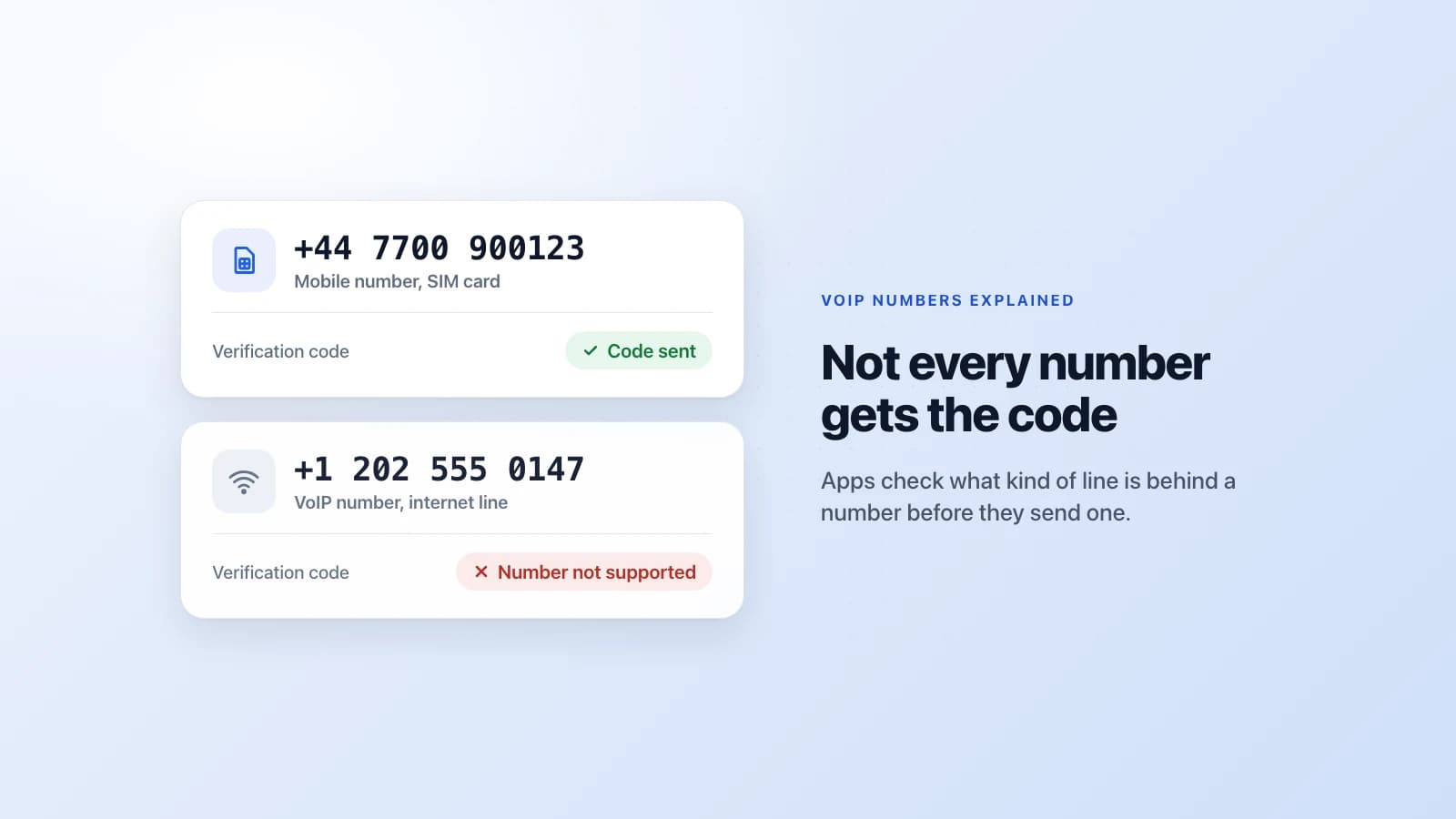
You type your number into an app, tap Next, and get a short, flat answer: "This phone number is not supported." Or there's no error at all, and the code just never arrives. You check the number. It's right. People call you on it every day. So what's the problem?
Most of the time, the problem is the kind of number it is. It's a VoIP number, and a lot of apps won't send codes to those. Here's what that means, how an app can tell in a split second, and which numbers do get the code.
What is a VoIP number?
A VoIP number is a phone number that works over the internet instead of a mobile network. VoIP stands for Voice over Internet Protocol. Your calls and texts travel as data, through an app or a small box plugged into your router, rather than through a SIM card and a cell tower.
The number itself looks completely normal. It has a country code and the right number of digits, and anyone can call it or text it. What's different is where it lives. A mobile number belongs to a SIM card on a carrier's network. A VoIP number belongs to an account at an internet phone company.
You've almost certainly used one:
- Second-number apps like Google Voice and TextNow.
- Work phones that ring on your laptop, from services like Zoom Phone, RingCentral or Microsoft Teams.
- A home phone from your internet provider, the kind that plugs into the router instead of the wall.
Phone companies split these into two kinds. A fixed VoIP number comes with a physical device, like that home phone box from your internet provider. A non-fixed VoIP number needs no device at all: you sign up online, pick a number, and use it from any phone or laptop. Google Voice and TextNow are the non-fixed kind. That's the kind apps worry about most, because anyone can get one in a minute.
Mobile vs VoIP at a glance
| Mobile number | VoIP number | |
|---|---|---|
| Lives on | A SIM card | An online account |
| Works over | The mobile network | The internet |
| How you get one | From a mobile carrier | From an app or a website |
| Apps see it as | Mobile | VoIP |
| Verification codes | Usually arrive | Often refused |
How a code reaches each kind of number
When an app sends you a code, it hands the text to a messaging company, which passes it on to whoever runs your number. For a mobile number, that's your carrier. The text travels over the mobile network, through a cell tower, to the SIM card in your phone. For a VoIP number, it goes to the internet phone company, which shows it in its app or on its website.
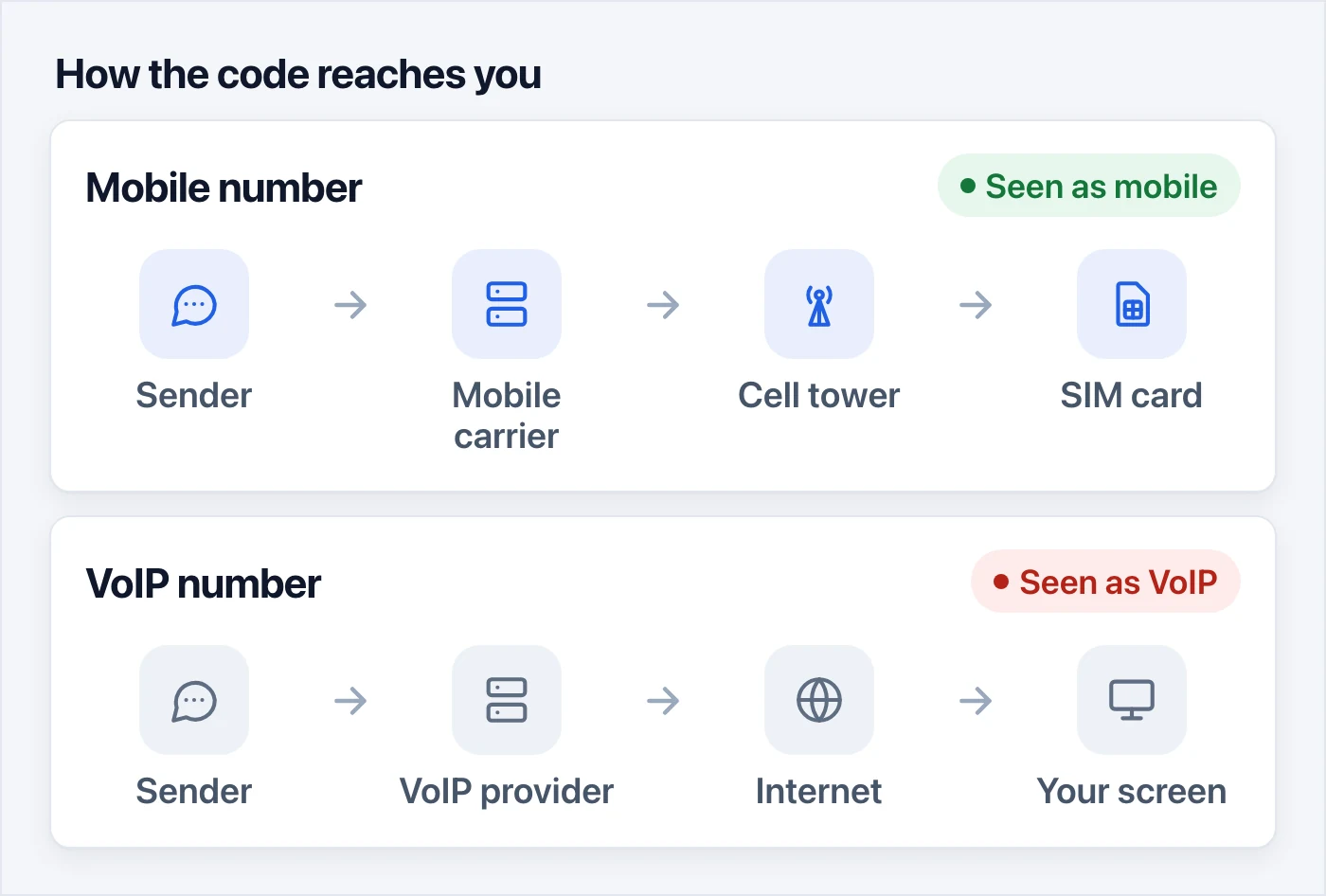
Both routes end with a code on a screen, and from where you sit they feel the same. The app on the other end sees them very differently.
How apps tell a VoIP number from a mobile one
You never tell the app what kind of number you have. It looks it up.
Phone numbers are handed out in blocks, and every block belongs to a phone company. Databases keep track of which company owns each block, and where a number went if its owner switched carriers and kept it. Before an app sends a code, it can ask a lookup service about your number. In a fraction of a second, it gets back the country, the company that runs the number, and the kind of line.
Twilio, one of the biggest of these lookup services, sorts numbers into mobile, landline, fixed VoIP, non-fixed VoIP, toll-free and a handful of rarer types. Other services use much the same labels.
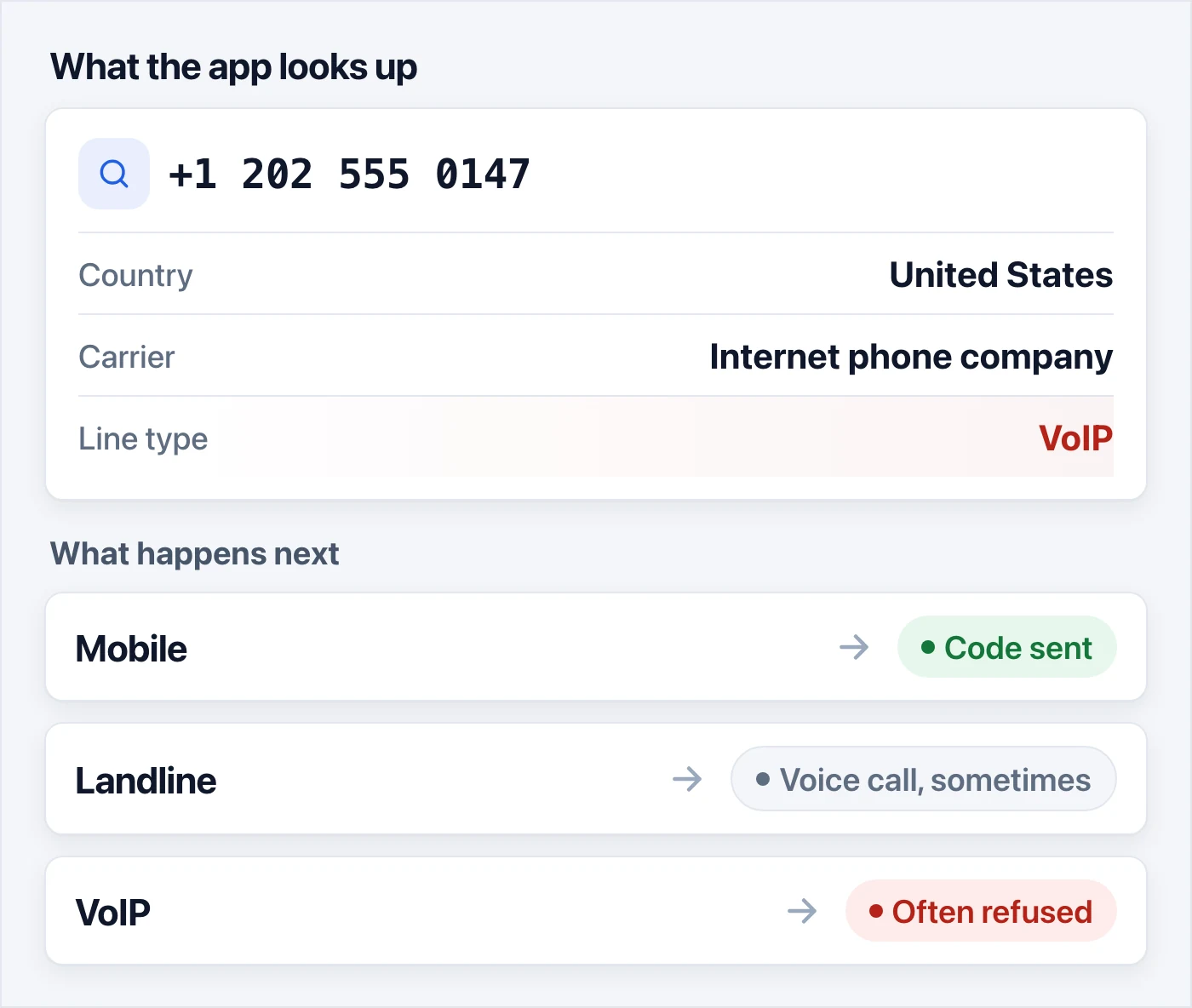
What the app does with the answer is up to the app. A mobile number gets the code. A landline might get a voice call that reads the code out, or a polite no. A VoIP number often stops right there, with an error like "not supported" or "invalid number."
Typing the number differently won't help. The lookup doesn't care how the digits look. It checks who the number belongs to.
Why apps reject VoIP numbers
It isn't about you. The app can't see who's holding the number. It can only see what kind of number it is, and it plays the odds.
They're cheap and endless. A SIM card costs money, needs a phone or a modem to live in, and in many countries you need an ID to buy one. A VoIP number can be made by software in seconds, thousands at a time. Someone who wants a thousand fake accounts would struggle to buy a thousand SIM cards. A thousand VoIP numbers is a much smaller job.
They're easy to throw away. An account gets banned, the number gets dropped, and a new one takes its place a minute later. A phone check only slows down spam if every new number costs something.
They're harder to trace. A mobile contract, or a SIM registered with an ID, points back to a person. A free VoIP account often points back to nothing more than an email address.
The code might not arrive anyway. Many codes come from short senders, those five- or six-digit numbers that banks and apps text from, and some of them only deliver to mobile networks. So sometimes the app doesn't refuse you at all. The text just gets lost on the way.
Who says no
Some apps say it outright:
- WhatsApp lists VoIP among the numbers it can't register, along with toll-free and premium-rate numbers. Landlines only work on WhatsApp Business, through a voice call.
- Discord says VoIP, burner and landline numbers can't be used to verify an account. You'll see "Invalid phone number."
- Banks are the strictest. Many won't send security codes to a VoIP number at all, because a code sent to an easy-to-get number is an easy way into your money.
Most other big apps don't publish a rule. They check the line type anyway, and VoIP numbers fail there far more often than mobile ones. Plenty of smaller sites and shops don't check at all. That's why the same Google Voice number works on one site and gets turned down on the next.
Is a virtual number the same as a VoIP number?
Not always, and this is where a lot of people get mixed up.
"Virtual" only means the number doesn't live in your phone. It says nothing about the line itself. Some virtual numbers are VoIP. Others are ordinary mobile numbers on real SIM cards that sit in someone else's equipment, with the texts passed on to a web page. When an app looks up that second kind, it finds a mobile number, because that's what it is.
That second kind is what SMS verification services are built on. Suppliers keep racks of SIM cards connected to local mobile networks, and when a text arrives, it shows up in your browser.
Which numbers get the code
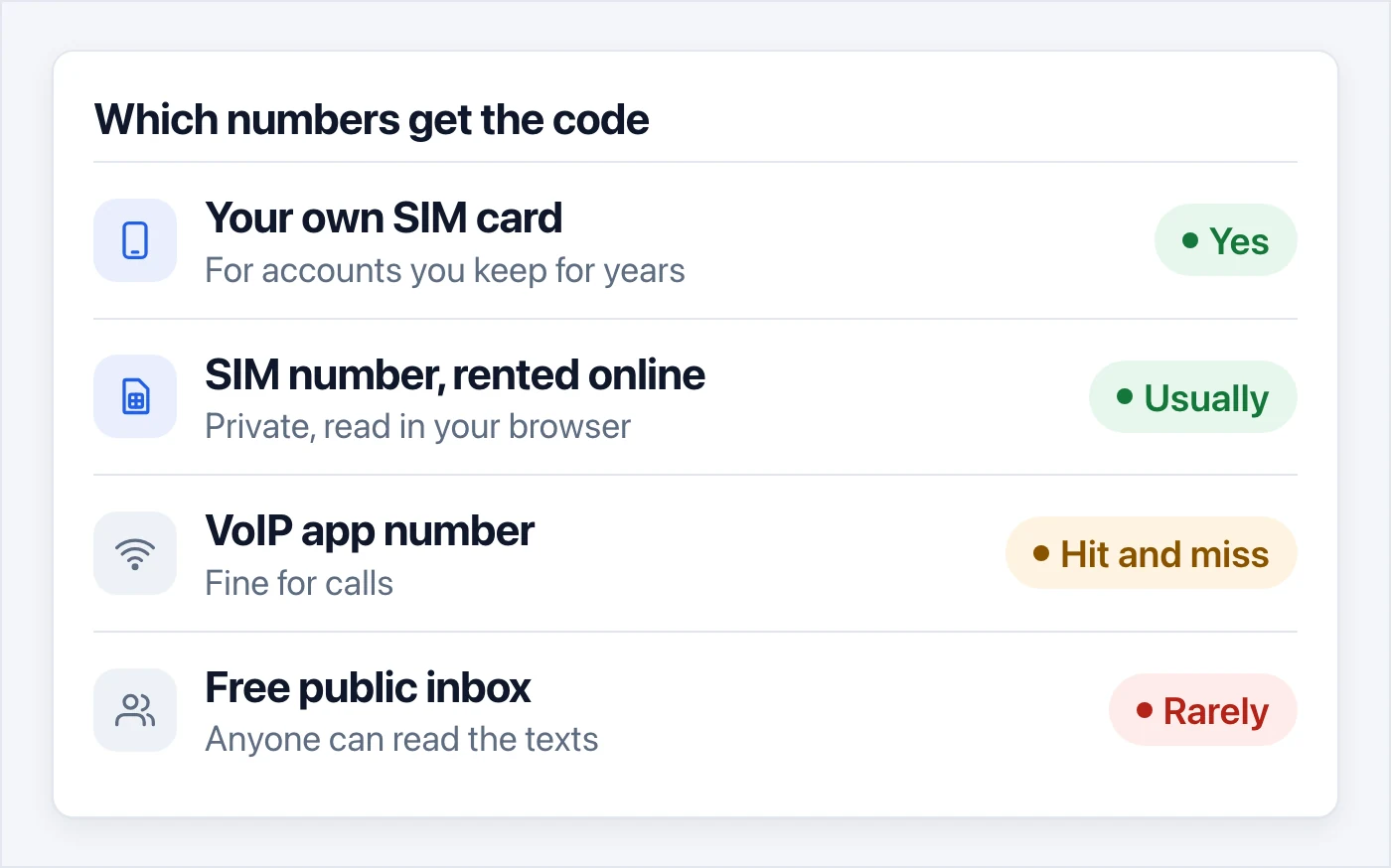
- Your own SIM card is the safest choice for accounts you'll keep for years, like your bank or your main email.
- A SIM number rented online is the next best thing when you'd rather keep your own number private. Apps see a mobile number, and only you read the texts.
- A VoIP app number is great for calls and fine for many sites, but it's a gamble for verification.
- A free public inbox is the worst of both. Anyone can read the texts on it, and the big apps blocked those numbers long ago.
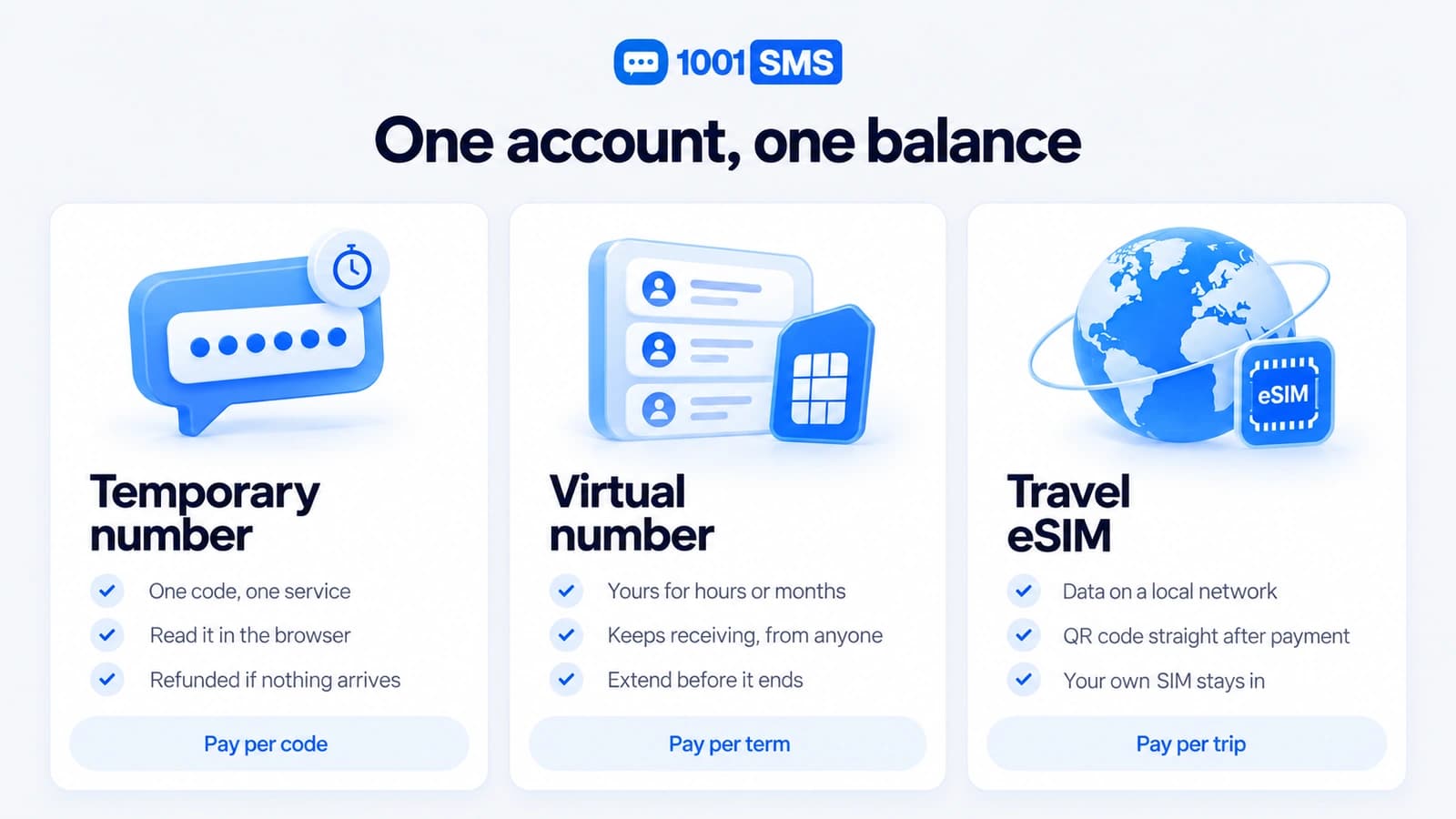
This is where 1001SMS fits in. For a one-time sign-up, get a number for a single code: pick the app and a country, and the text shows up on the page. If no code comes, cancel and the money goes back to your balance. For an account you'll need to verify again later, rent a number you keep. It's yours alone, it isn't VoIP, and you can keep it for anything from 12 hours to a year.
Even a mobile number isn't a free pass, though. Apps also look at how often they've seen a number before, and a busy one can still be refused. At Google, that's the "This phone number cannot be used for verification" message, which comes up in our guide to making a Gmail account without a phone number. When it happens, try a different number or a different country.
Quick answers
Is Google Voice a VoIP number? Yes, the non-fixed kind. That's why WhatsApp, Discord and many banks turn it down.
How can I tell if my number is VoIP? Think about where it came from. If you got it from an app or a website rather than on a SIM card, it's almost certainly VoIP. Free carrier lookup tools online will also show you the line type.
Is a VoIP number bad? Not at all. It's cheap, it works over Wi-Fi anywhere in the world, and it's great for calls. It's just the wrong tool for verification codes.
Can a VoIP number receive texts? Most can, from ordinary phone numbers. Texts from the short five- or six-digit senders often don't come through.
Are WhatsApp calls VoIP? Yes, WhatsApp calls travel over the internet. But your WhatsApp account is still registered to an ordinary phone number, and that's the number WhatsApp checks when you sign up.
Can I make a VoIP number pass as a mobile one? No. The lookup reads who runs the number, not how it looks, so there's nothing to change on your side. If an app wants a mobile number, give it one.
In short
A VoIP number is a real phone number that runs over the internet instead of a SIM card. Apps can tell in a split second, and many of them won't send a code to one. For verification, use a number on a SIM card: your own, or one you rent for the job.
Sources:
- WhatsApp FAQ: registering your phone number (https://faq.whatsapp.com/684051319521343)
- Discord: How to Verify Your Discord Account (https://support.discord.com/hc/en-us/articles/6181726888215-How-to-Verify-Your-Discord-Account)
- Twilio Lookup: Line Type Intelligence (https://www.twilio.com/docs/lookup/v2-api/line-type-intelligence)