
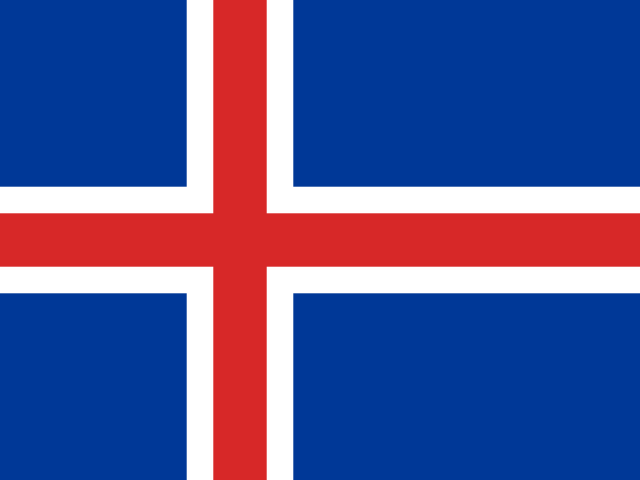

How to Verify Blizzard with an Iceland Number: A Complete Guide
Verifying your Blizzard account is a crucial step for security and accessing all features. However, you might need to use a number from a specific country, like Iceland, for reasons ranging from privacy to bypassing regional restrictions. This guide explains how to complete the process securely and efficiently using a virtual number.
Why Use an Iceland Number for Blizzard?
Using a virtual number offers several advantages beyond standard verification. It’s a smart way to manage your digital identity and enhance your online privacy.
- Protect Your Identity: Keep your personal phone number private and away from corporate databases. This acts as a powerful shield against spam calls and messages. A masked number ensures your real contact details are never exposed.
- Bypass Regional Blocks: Access region-specific game versions, betas, or promotions on Battle.net that may not be available in your area.
- Manage Multiple Accounts: If you need a separate account for streaming or competitive play, a virtual number allows you to create one without needing another physical SIM card.
Step-by-Step: Verifying Blizzard with a Virtual Number
The process is straightforward. By using a reliable OTP receiver service, you can get your account verified in just a few minutes.
- Choose a Trusted Provider: Select a service that offers reliable iceland phone numbers. Look for a clean interface and transparent pricing.
- Select Your Number: Navigate to the Iceland section and pick an available number. Before proceeding, check the platform's statistics for that number's compatibility with Blizzard.
- Enter the Number on Blizzard: Copy the virtual number and paste it into the phone verification field on the Battle.net website or app.
- Receive Your OTP Code: Switch back to your virtual number provider's dashboard. The incoming SMS from Blizzard containing your one-time password (OTP) will appear there almost instantly.
- Complete the Verification: Enter the code on Blizzard’s site to finalize the blizzard verification. Your account is now secure and ready to use.
Best Practices for a Smooth Experience
To ensure a hassle-free verification, follow these expert tips. Proper setup prevents future account access issues and enhances your security.
Pro-Tip: Always check the SMS success rate for services like Blizzard before you select a number. Our platform displays recent success statistics for each service and country, helping you choose a number with a higher delivery rate for your verification code.
Use a Dedicated Number: For an important account like Blizzard, consider using a dedicated virtual number instead of a temporary one. This ensures you can regain access to your account if you ever need to verify your identity again.
Avoid Unreliable Free Services: Free virtual number providers often use public, overused numbers that are frequently blocked by services like Blizzard. Investing in a premium, private number guarantees a higher success rate and better security.
Troubleshooting Common Verification Issues
Even with the best tools, you might encounter a snag. Here’s how to solve common problems.
- Code Not Received: If the SMS doesn't arrive within a minute, try refreshing the dashboard on your virtual number provider's site. If that fails, release the number and select a different one to attempt the process again.
- Number Rejected by Blizzard: Occasionally, a number may be flagged by Blizzard’s system. Reputable providers constantly update their number pools to avoid this. Simply try another available Iceland number to bypass this issue.